The dashboard
Every screen in your login.
This is the whole thing: what you see the morning after you sign up, and every month after. Real screens, real layout, sample numbers.
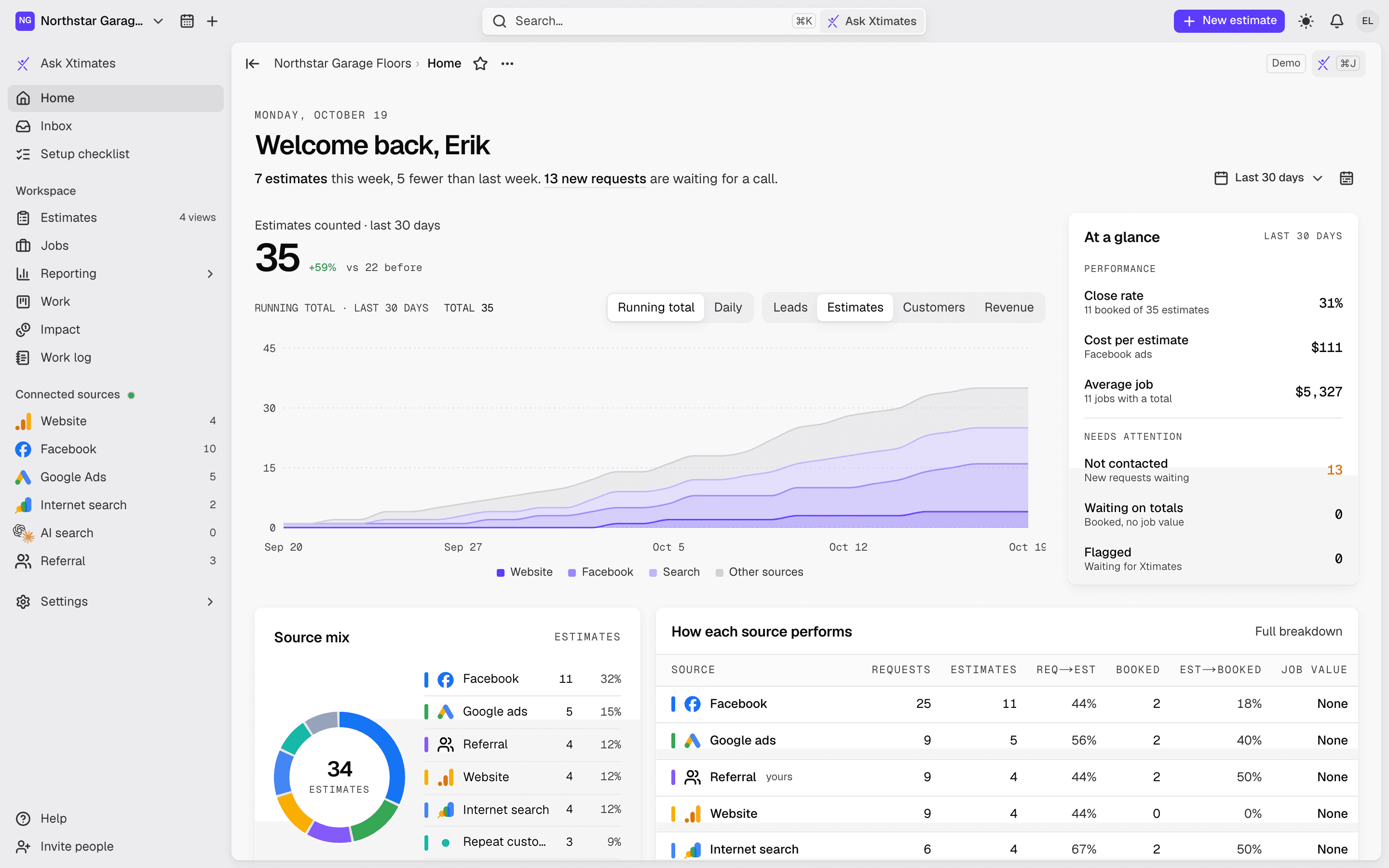
/home
Home
"Welcome back" and the number that matters: estimates counted for the range you pick. A chart that climbs, stacked by where they came from (Website, Facebook, Search, Other). Close rate, cost per estimate, average job. Eight tiles: job value, new requests, booked jobs, Facebook form fills, ad spend, website visits, search clicks, requests we drove.
Running total or daily bars
Source mix and how each source performs
Requests by city and weekday
Estimates-by-day heatmap for the year
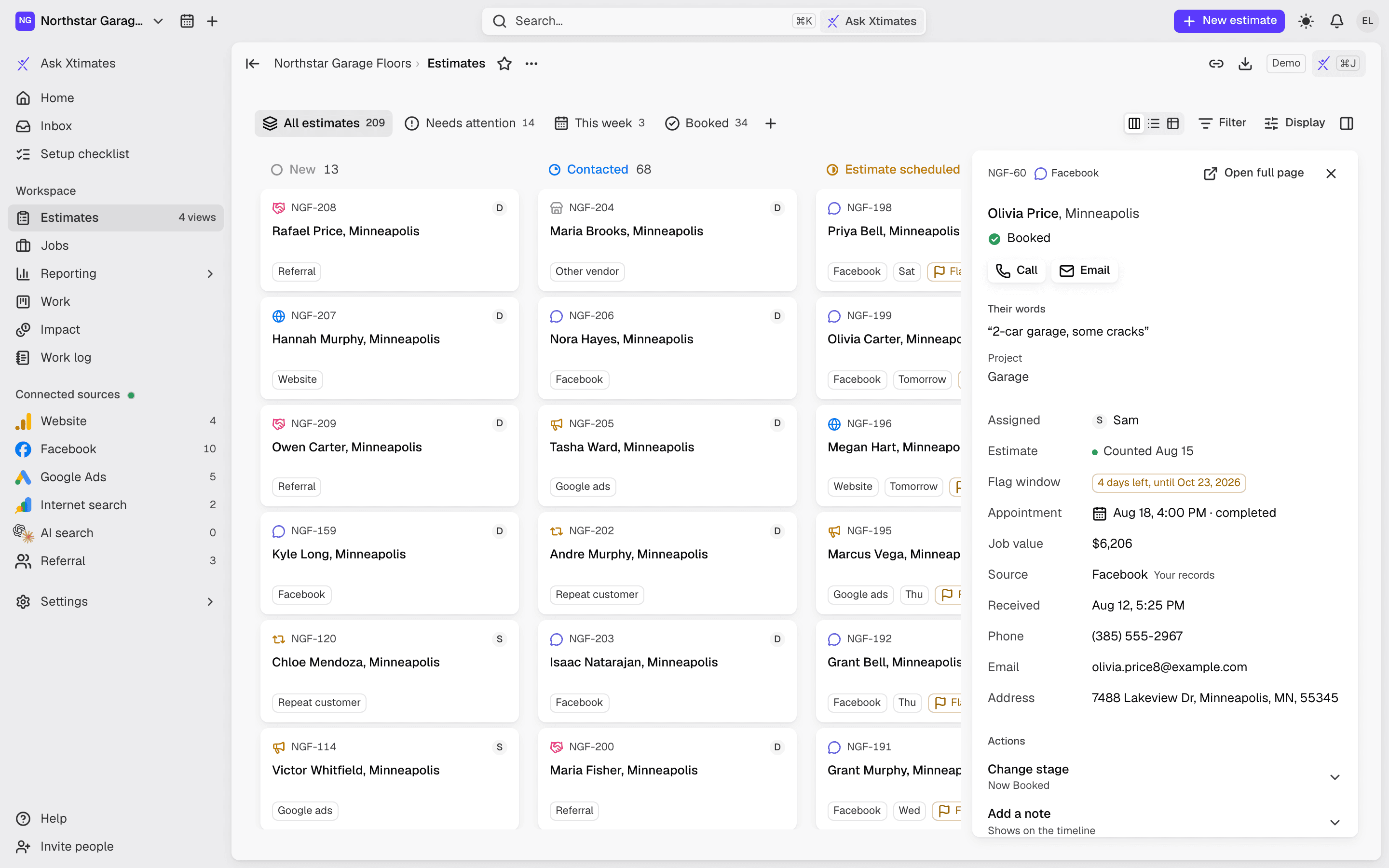
/estimates
Estimates
A board you can move through: New, Contacted, Estimate scheduled, Estimate given, Booked, Lost. Or a list, or a table. Tabs for All, Needs attention, This week, Booked. Filters by source and date live in the URL, so a view you like is a link you can share.
Open any estimate: stage history, source, call and email buttons
Add a note, set an appointment outcome, link a job
Flag one that isn't real within 7 days; we review every flag
Export the current view as CSV
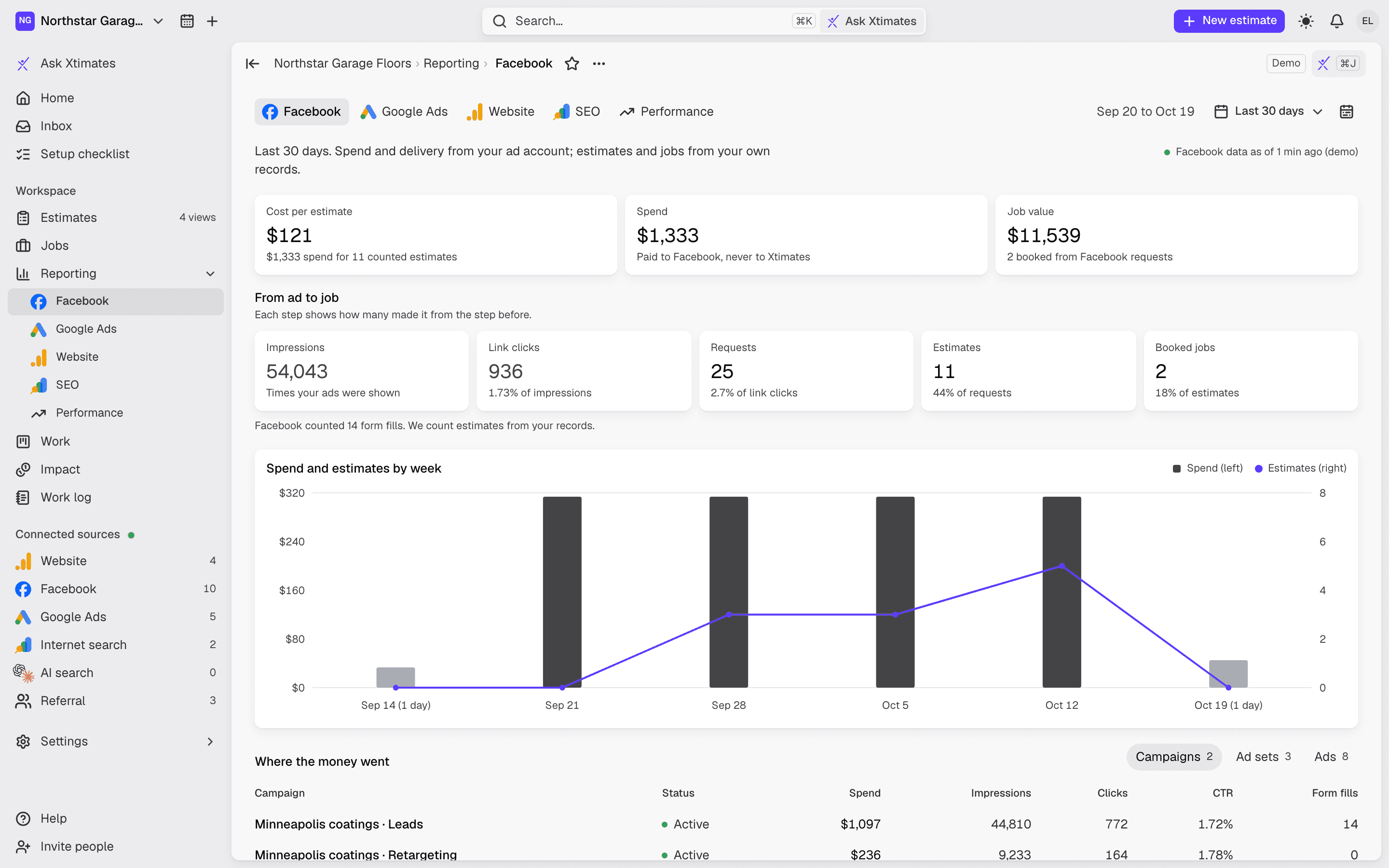
/reporting/facebook
Facebook ads
Cost per estimate, spend and job value from your own ad account. The funnel from impressions to clicks to requests to estimates to booked. Spend and estimates by week. Campaign, ad set and ad breakdown.
Same layout for Google Ads, by campaign and ad group
Numbers refresh on a schedule, with a freshness marker
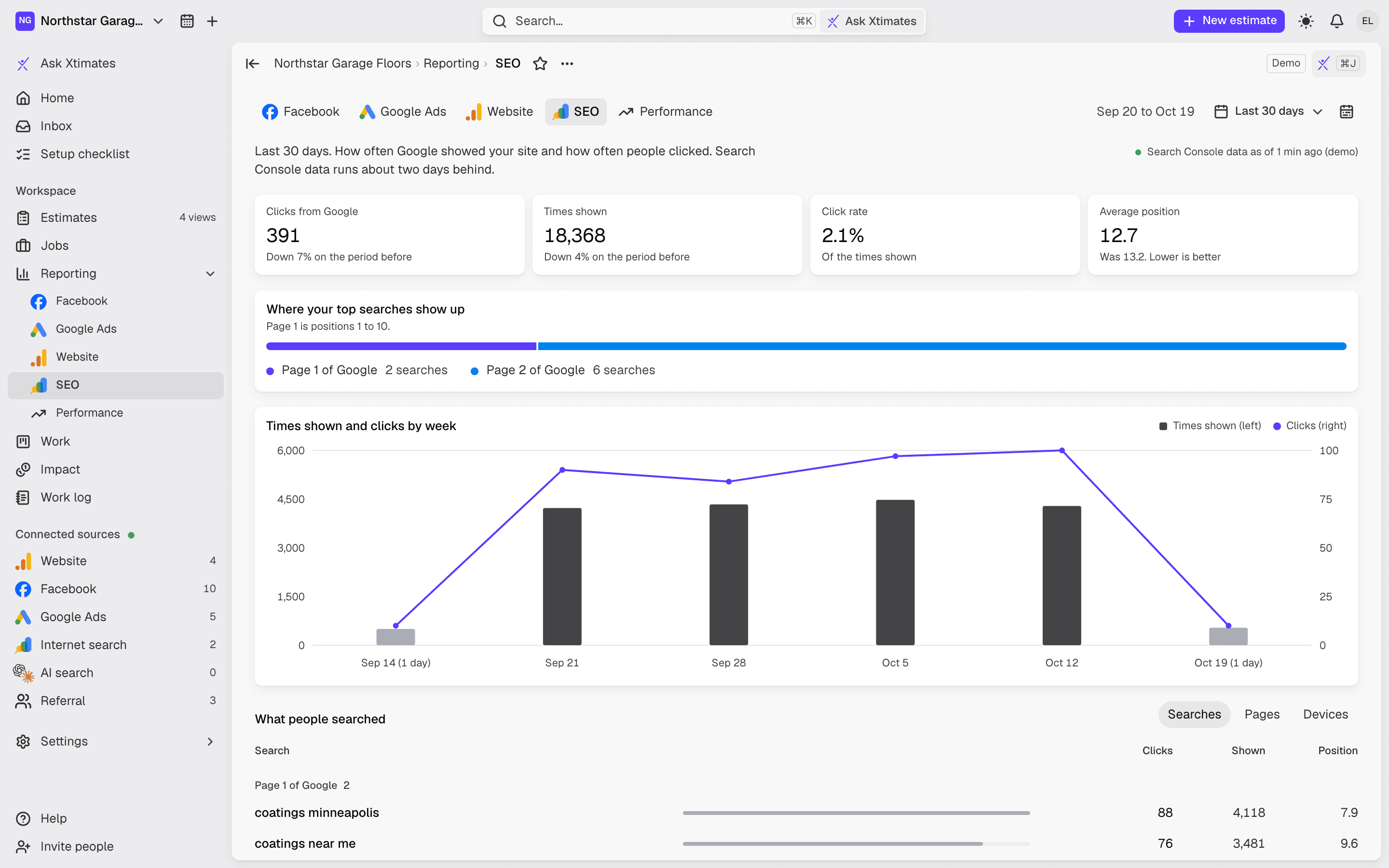
/reporting/website
Website and SEO
Visits and key actions by week from GA4. Sources, landing pages, devices, cities. Your own form submissions. From Search Console: clicks, impressions, position, the searches people typed, the pages they landed on.
GA4 and Search Console connected with one Google consent
Shown vs clicked, by week
/results/performance
Performance
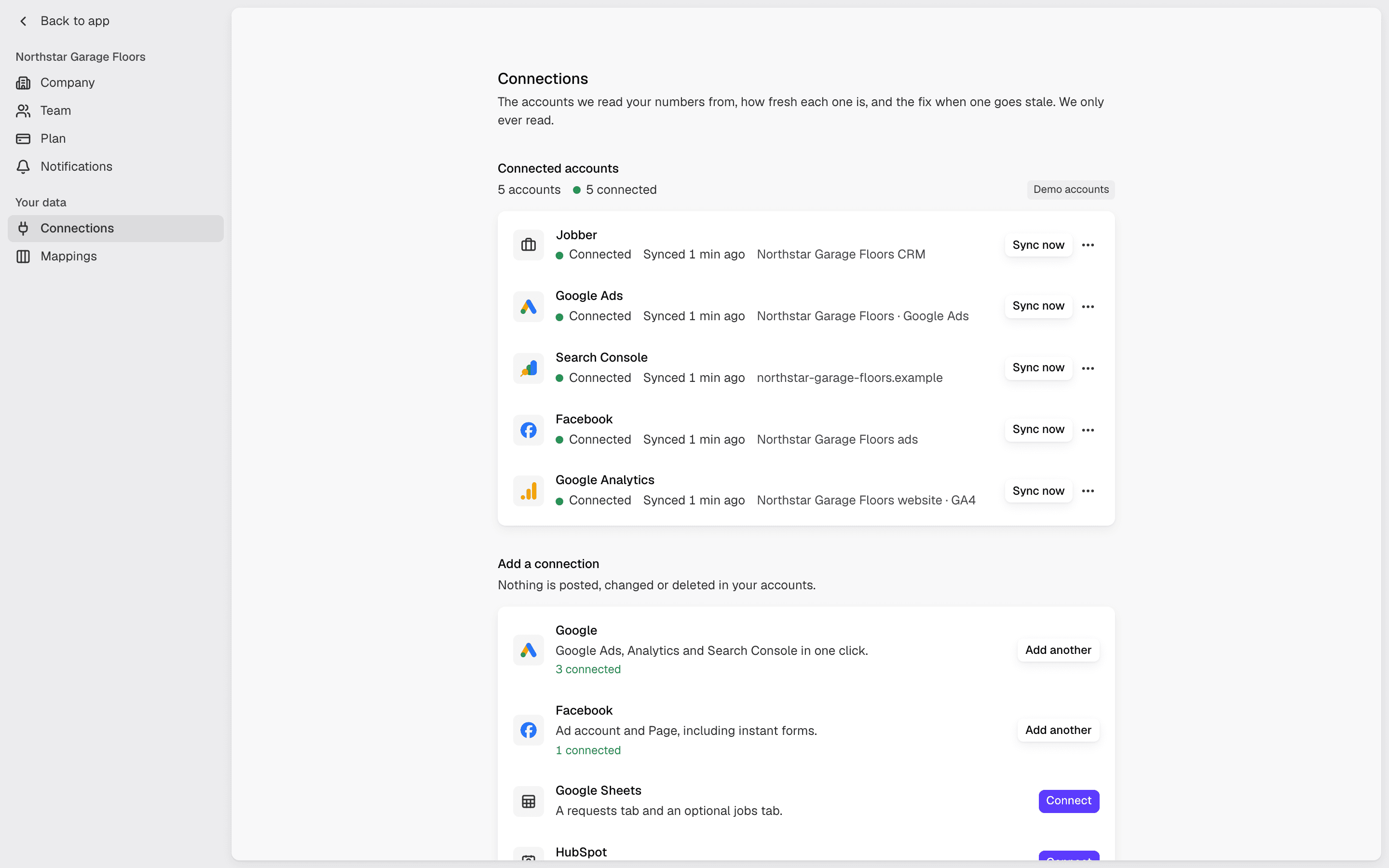
Job value from estimates. Return on all spend. Return on Xtimates fees. Estimates counted. Spent vs returned, by month. The screen that answers "what did I get for the money?"
Jobs: booked jobs, job value, average job, from which request
Impact: each estimate split across the work, the ads and steady flow
/guarantee
The guarantee
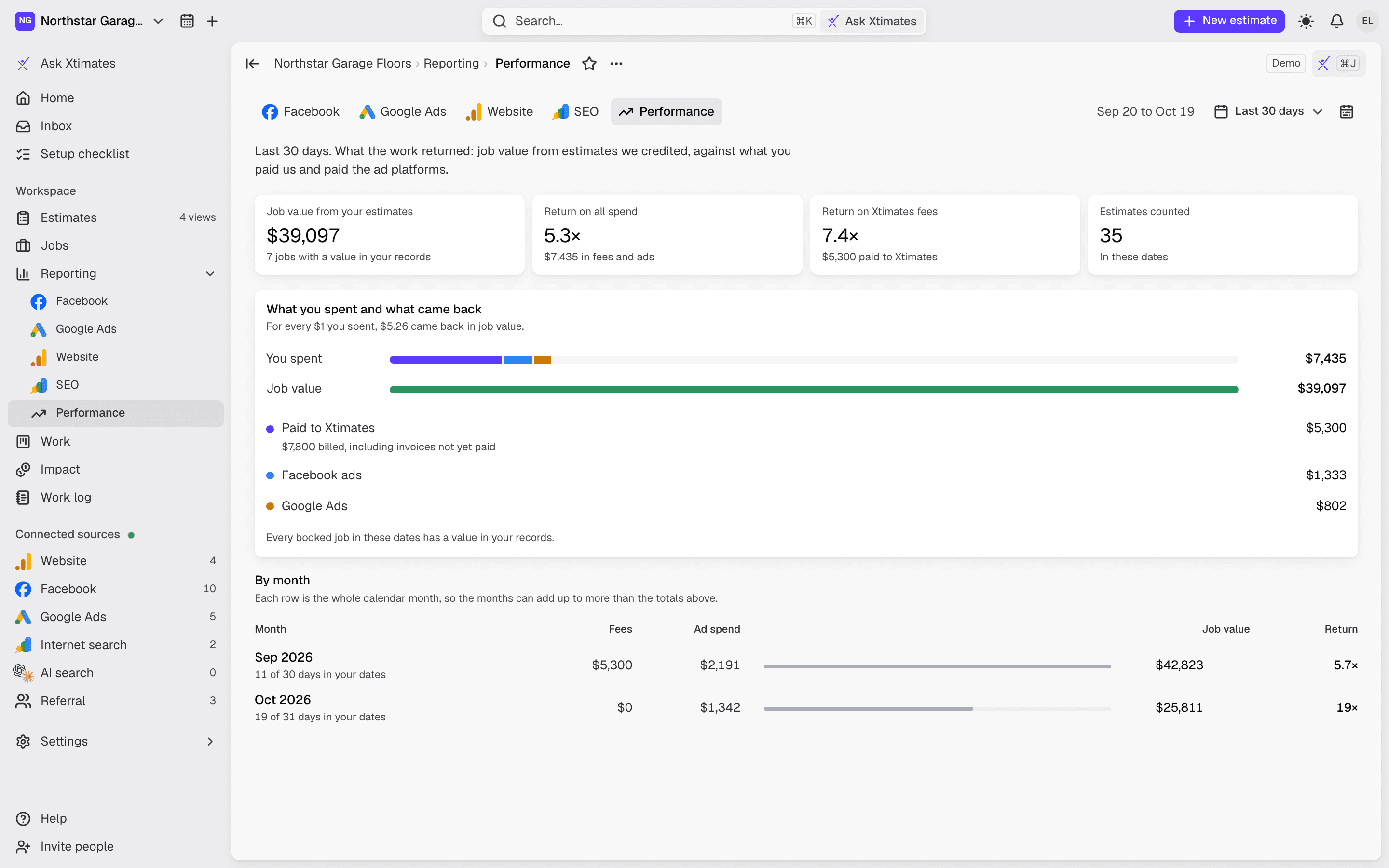
Your money-back balance as a dollar amount, counting up. Day N of 45 with an on-pace mark. Four lights: accounts connected, ad spend at the minimum, new requests answered within a business day, outcomes updated this week. And the button: Enact guarantee.
A statement of every fee paid; ad spend shown but never counted
Warnings sent to you, listed
The claim flow picks three call times and tracks each step to Refund sent
/billing
Billing
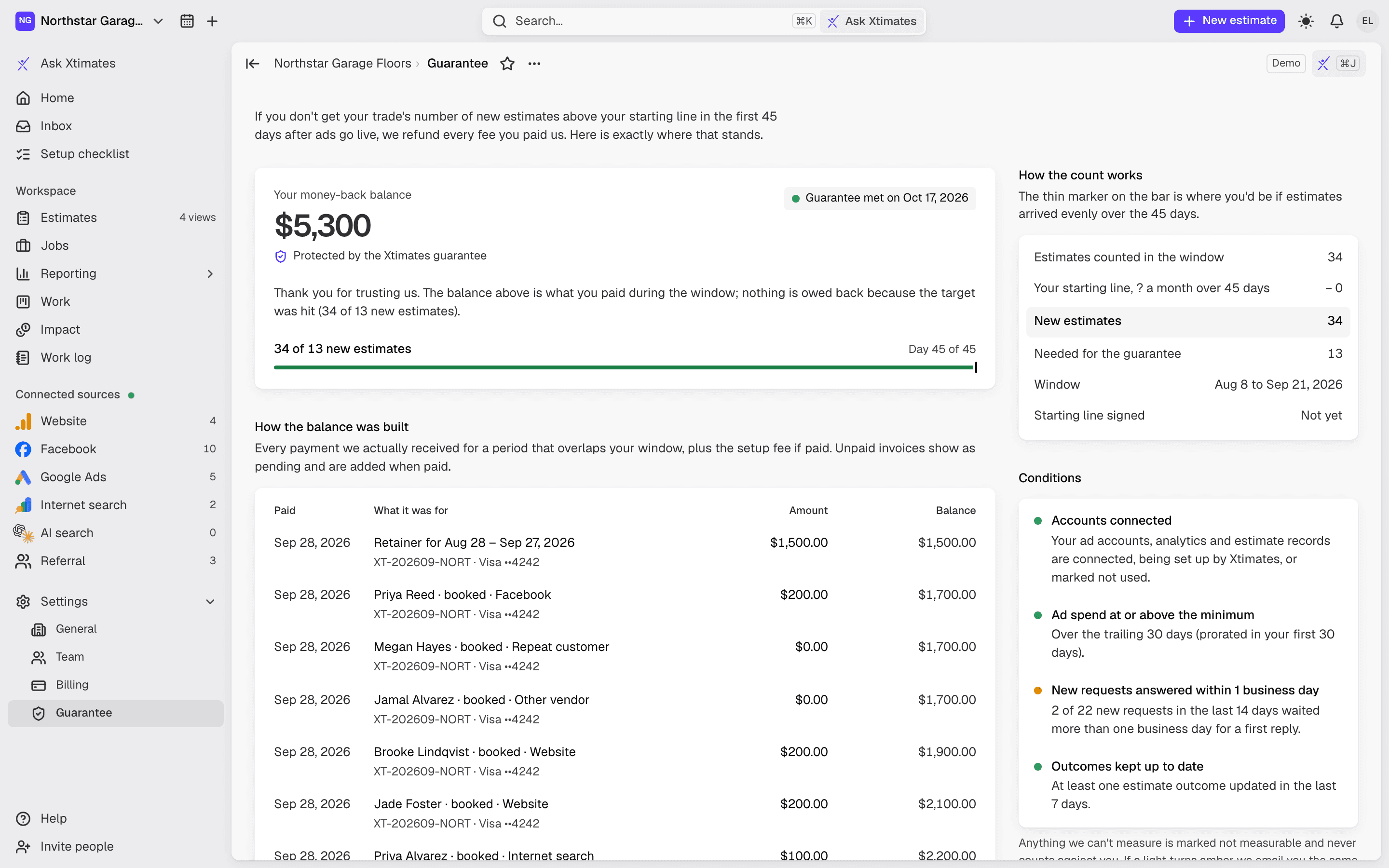
This period's projection ($1,500 plus $75 per estimate), the period dates and closing date, every line so far. Past invoices with Pay now. Your payment method, saved in our own form on Stripe. Plan details and the cancel button.
Nothing is charged without a person at Xtimates doing it
Printable invoices
Card or US bank account
/settings/connections
Connections
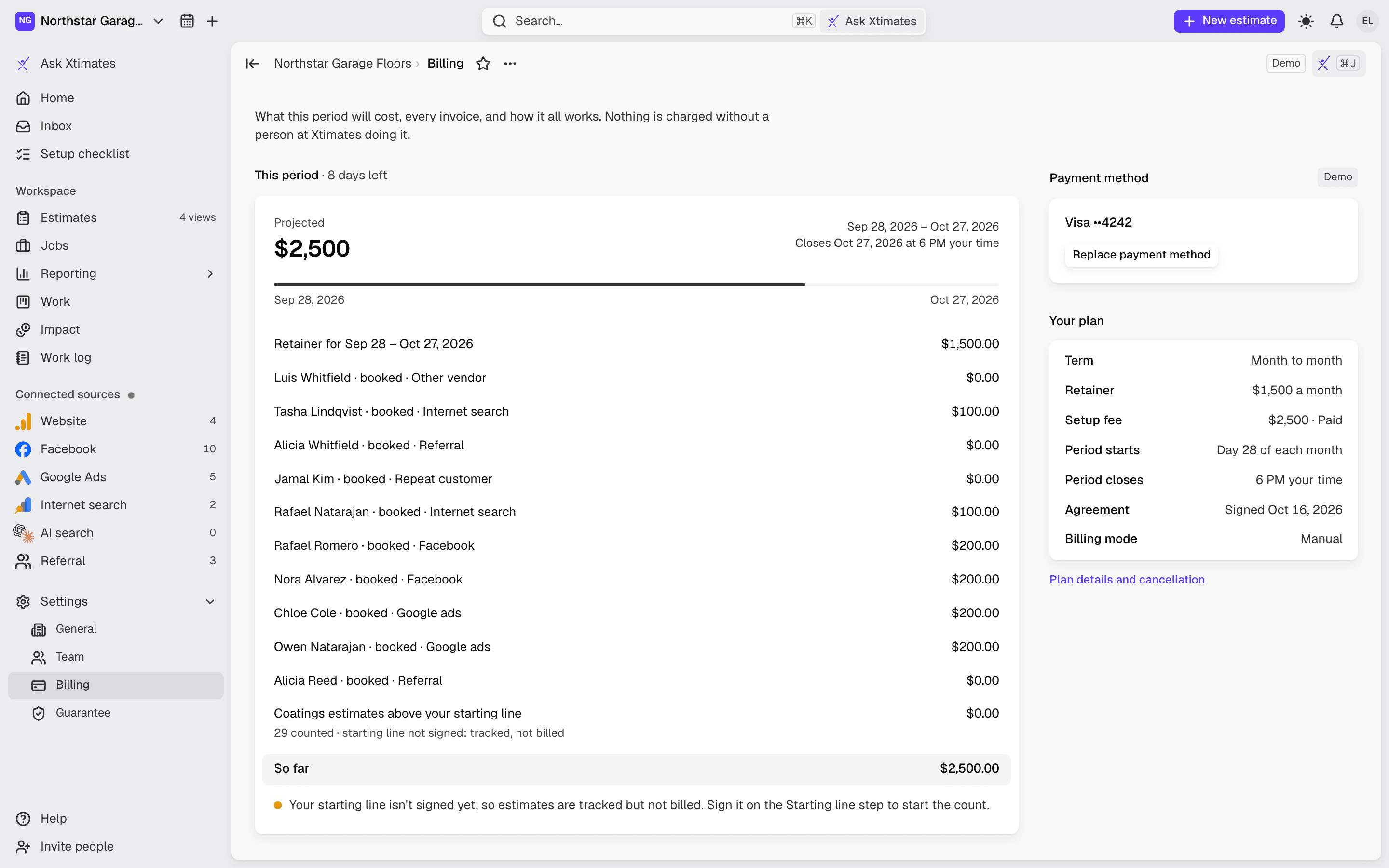
Google (Ads, GA4, Search Console) with one consent. Facebook ad account and Page, including instant-form requests. Google Sheets, HubSpot, GoHighLevel, Jobber. A website-form endpoint with a snippet and a test button. Zapier, Make or your own webhook. CSV import.
A health light on every connection
Send a connect link to whoever runs the account; no password needed
Credentials encrypted at rest
/assistant
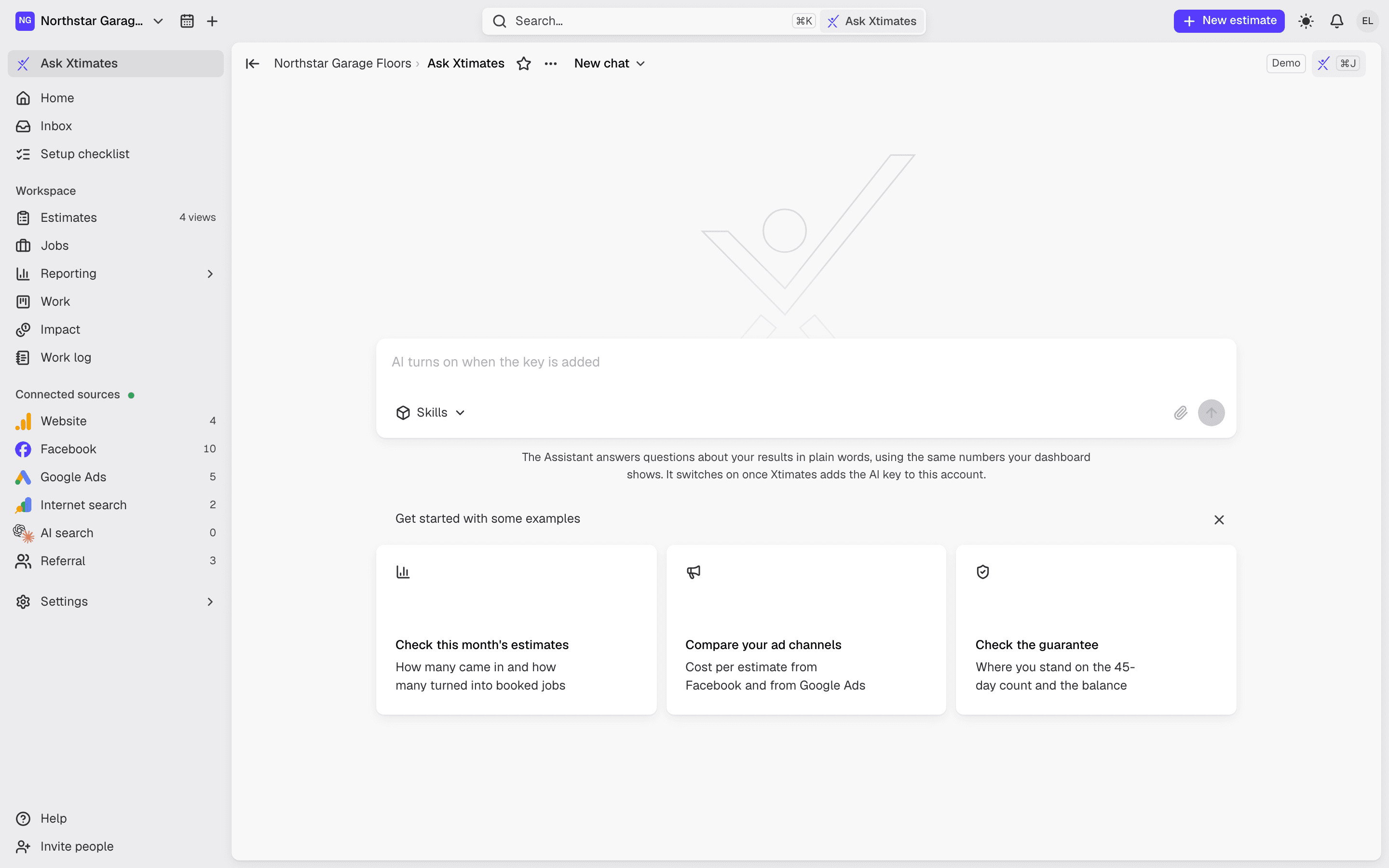
Ask Xtimates
Ask in plain words: "how many estimates this month?" "what did Facebook cost per estimate?" It answers from your own numbers through a fixed set of read-only tools, and shows what it read. It can't change anything.
Past conversations kept
Draft a follow-up for an estimate; nothing is ever sent for you
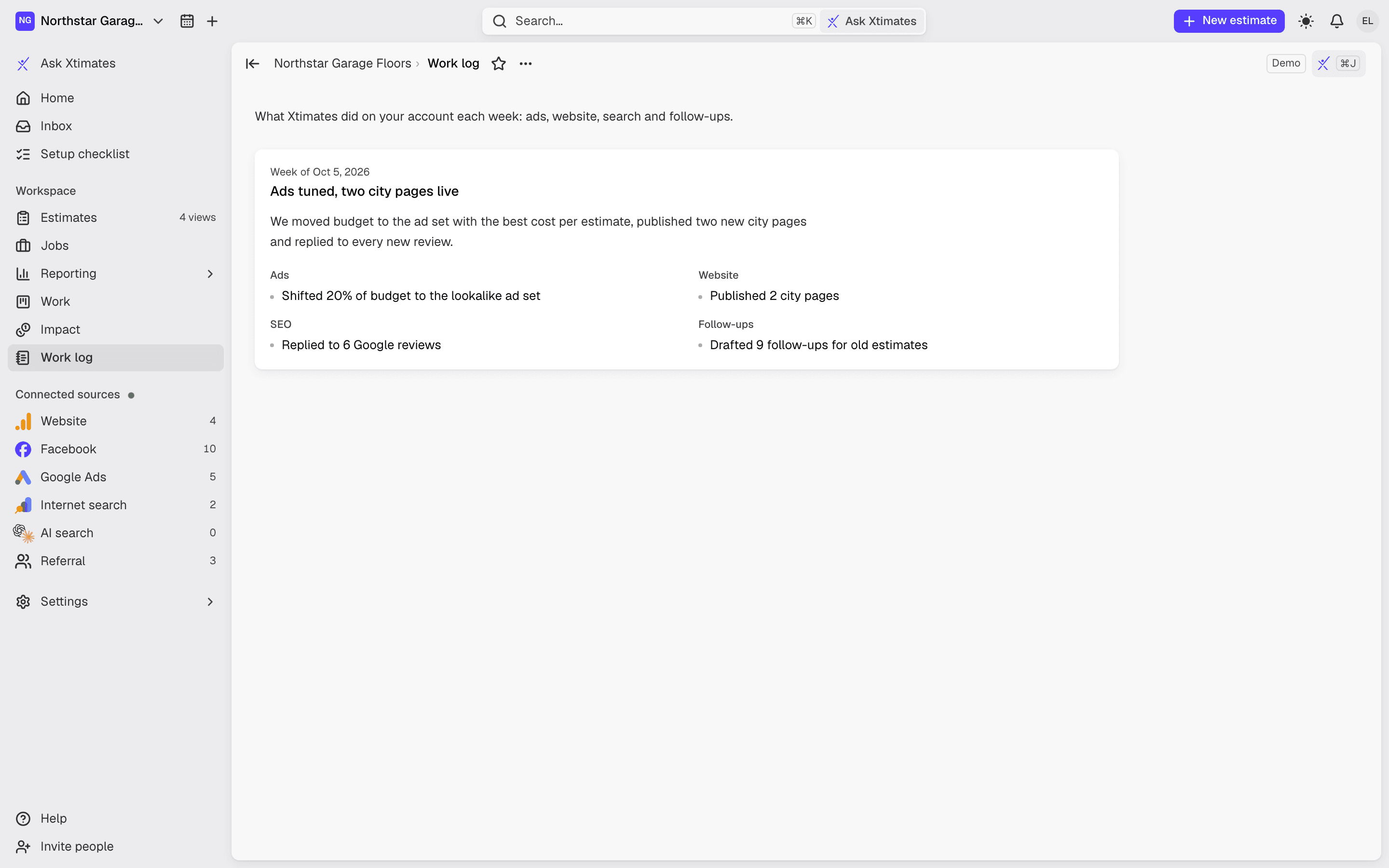
/work-log
Work and the work log
What we're doing, what's next, what's done, and why. A published weekly log by area: ads, website, SEO, follow-ups. Not a promise. A record.
Setup checklist with what's on you and what's on us
Inbox and Help: message us or book a call from inside the app
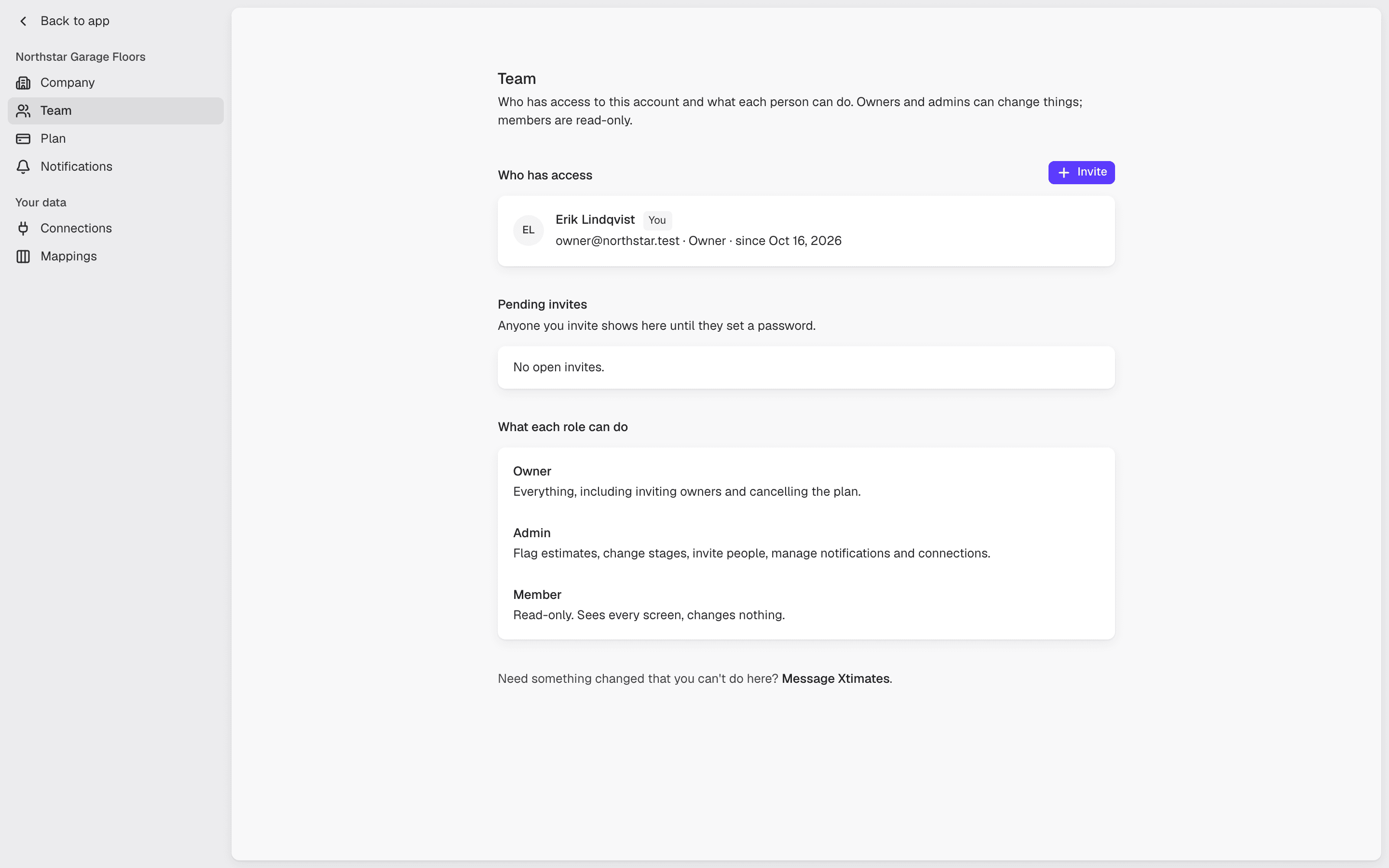
/settings/team
Team and settings
Invite your office manager. Owner, admin and read-only roles. Company details, logo, service areas by trade. Notification groups and who gets them. CRM stage and source mappings.
Light, dark or system theme
Command palette and keyboard shortcuts
A bottom bar on your phone
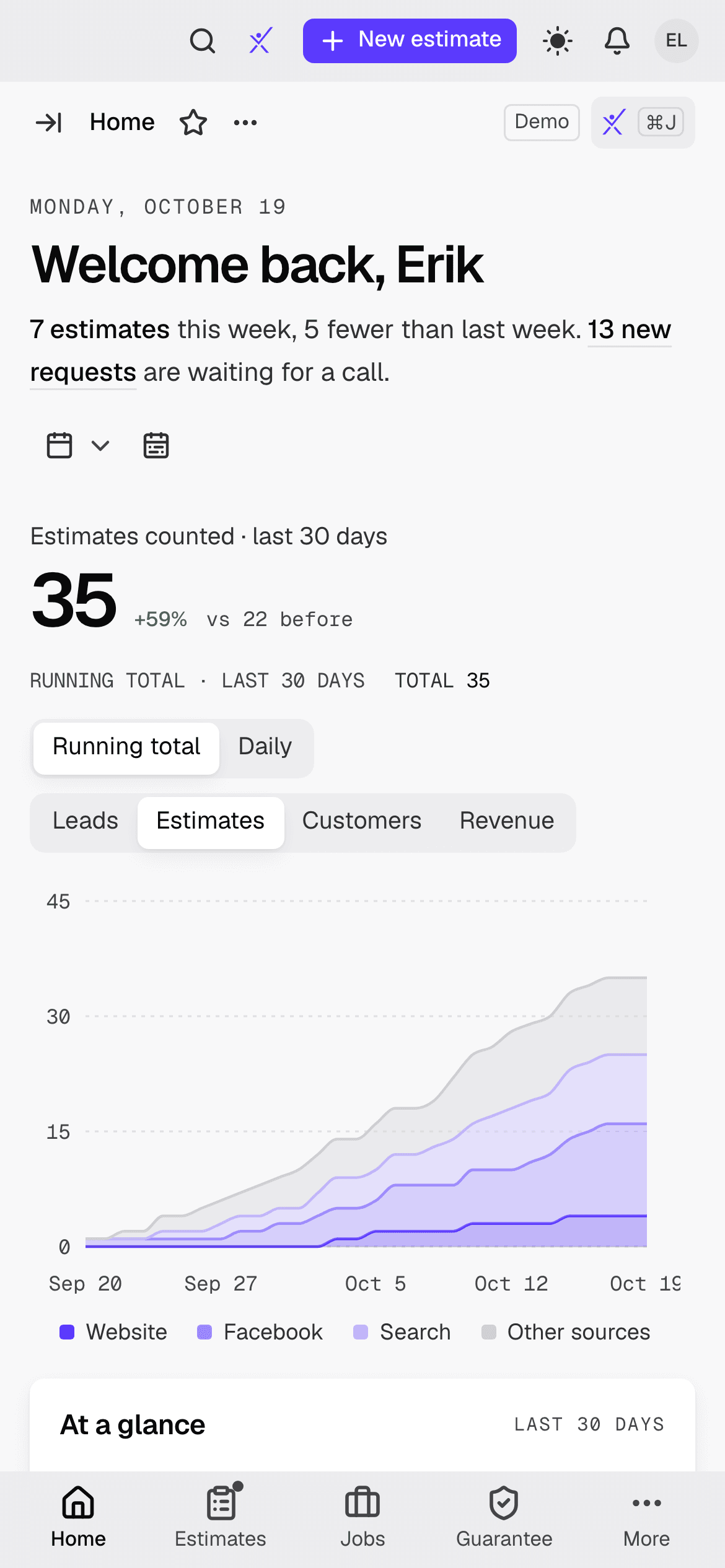
On your phone
On your phone, in the truck.
A bottom bar with the four screens you open most. Light or dark. Fast.
Home
Running total or daily bars
Real results
What it looked like for one shop.
“We have gone through many, many marketing companies with promises that they never keep, overcharging for leads. We were to the point where we were exhausted and didn't really know if there was a good company out there until we ran across Xtimates.”
Mary, Elevated Coatings
Since January 10, 2026
279
Estimates since we started
77
Booked jobs
≈$490,398
Revenue to date
One client so far. We don't know yet what's typical — that's exactly why there's a guarantee.

FAQ
Questions about the dashboard
No. These are screenshots of the platform with sample data. The layout is what you get.
Want the why? Read why it's built this way
This comes with the service.
$1,500 a month, or $1,250 a month billed annually, + $75 per estimate. Rather talk first? Book a call.